
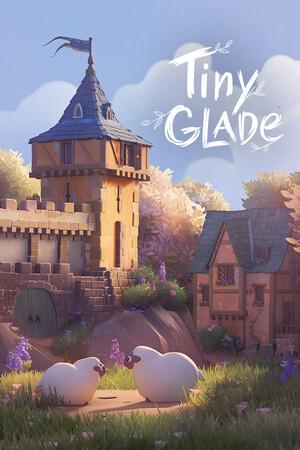
Make Tiny Glade Shots Read Clearly
In Tiny Glade, think of each screenshot as a tiny story, not a full map dump. Pick one focal point first (the single thing viewers should notice first), like a gate, tower, or pond edge. Then support it with foreground pieces such as flowers, fence posts, or tree branches so the eye moves toward that focal point. This is especially important in a diorama (a small, staged scene meant to be viewed from chosen angles), where cluttered wide shots can hide your best work.
Before you capture, tune the lighting. Rotate the time-of-day control until your main structure has clear contrast against the background, then lower the camera a little so walls and roofs stack in layers instead of reading flat. Take three versions every time: one wide establishing shot, one mid shot, and one close detail shot. That quick set gives you strong options for Discord, Steam, or social posts without rebuilding anything.
Quick Capture Checklist
Before sharing, do a 30-second pass: switch to Photo Mode for a cleaner frame, fix obvious horizon tilt, remove accidental placement traces, and check frame edges for cut-off objects. If the image still feels busy, move or remove one competing prop near your focal point and retake. One clean subtraction usually improves readability faster than adding more detail.
Share Builds So Others Can Recreate Them
When you post your Tiny Glade build, add practical context: your focal point, whether you shaped terrain or water first, and which final detail pass made the scene feel finished. If the platform supports multiple images, upload them in build order (base layout, terrain/water pass, decoration pass, final shot). That turns your post into both a showcase and a mini walkthrough, which gets better feedback and helps newer players copy what works.