
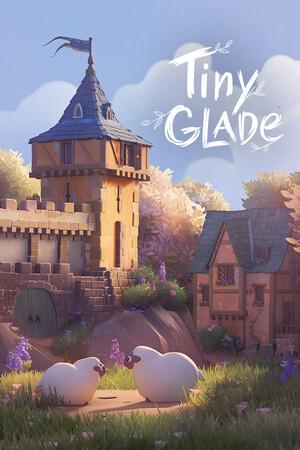
Make Tiny Glade Details Readable, Not Busy
In Tiny Glade, one of the fastest ways to make a build feel finished is to detail in layers, not by scattering random small pieces everywhere. Start with a clear focal point (the spot you want eyes to land on first), then support it with one or two secondary areas. Tiny Glade is a diorama builder, and a diorama is a small scene meant to be read at a glance. If everything is equally detailed, nothing stands out.
Use a simple three-pass workflow: big shapes first, medium breakup second, tiny accents last. Big shapes are your main buildings, paths, and tree masses. Medium breakup means changing height, curve, and spacing so repeated elements do not look copy-pasted. Tiny accents are final touches near entrances, path bends, and water edges. After each pass, zoom out and check whether the scene is still clear from far away.
High-Impact Detailing Checklist
If you are new, keep this checklist short and practical so you finish more builds and learn faster:
- Keep one side cleaner: leave intentional negative space (empty breathing room) so detailed areas feel special.
- Vary path width slightly near entrances and corners to make routes feel used, then keep long stretches consistent so the scene stays tidy.
- Break straight lines with gentle curves in walls, shorelines, or terrain; even small bends add a handmade look.
- Cluster decorations in odd-number groupings (like 3 or 5) instead of even rows to avoid a rigid, artificial pattern.
- Repeat one visual motif across the build (for example, similar roof shapes or matching plant rhythm) so details feel cohesive.
Final polish in Tiny Glade is mostly restraint. If a corner looks noisy, remove one or two items before adding new ones. A clean silhouette, readable path flow, and a few strong detail clusters usually look better than maximum density everywhere.