
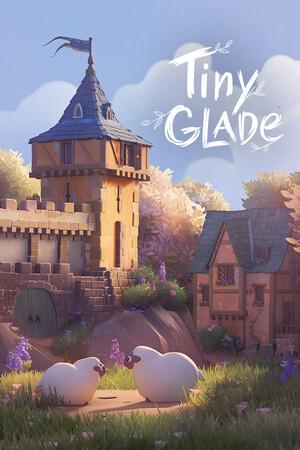
Detail With Intent, Not Quantity
In Tiny Glade, there are no fail states, so you can make readability your main design goal. Think of each build like a diorama, a small self-contained scene. Start by choosing a focal point (the first place your eye lands), like your main house, tower, or gate, then keep nearby details quieter so that centerpiece stays in charge.
A beginner-friendly rule is to add detail in layers: big shapes first, medium support pieces second, tiny decoration last. If you jump straight to small props everywhere, things look busy fast. Leave negative space (intentional empty space) around paths, walls, and water so the scene has room to breathe.
A Practical 5-Pass Workflow
- Block out the main structure and terrain silhouette.
- Add path flow and one secondary structure.
- Add greenery in clusters instead of single scattered pieces.
- Add only a few high-contrast accents near your focal point.
- Zoom out and remove 10-20% of small details that do not improve the read.
Use a simple one in, one out cleanup rule: when you add a new decorative element, remove or simplify another nearby element. For village scenes, keep detail density highest near entrances and gathering areas, then taper it off toward the edges. If you cannot spot the main subject within two seconds from a zoomed-out view, simplify first, then add more.