

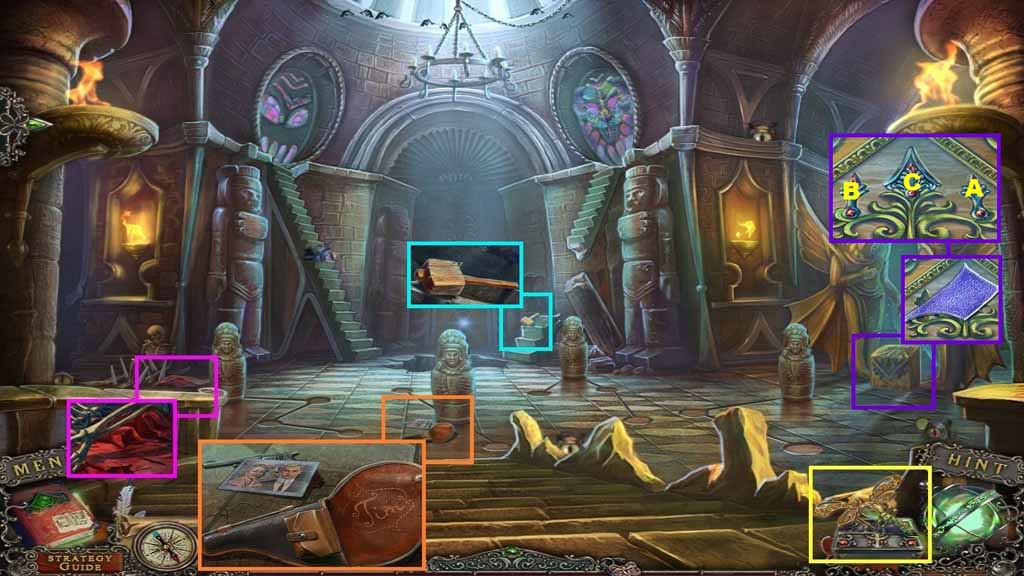
- Click the dragonfly.
- Collect the rag and buttons.
- Collect the photo and Tim’s gun.
- Collect the mallet.
- Collect the stained glass piece.
- Insert the buttons into the pedestal and click them in ABC order.
- Move to the right.
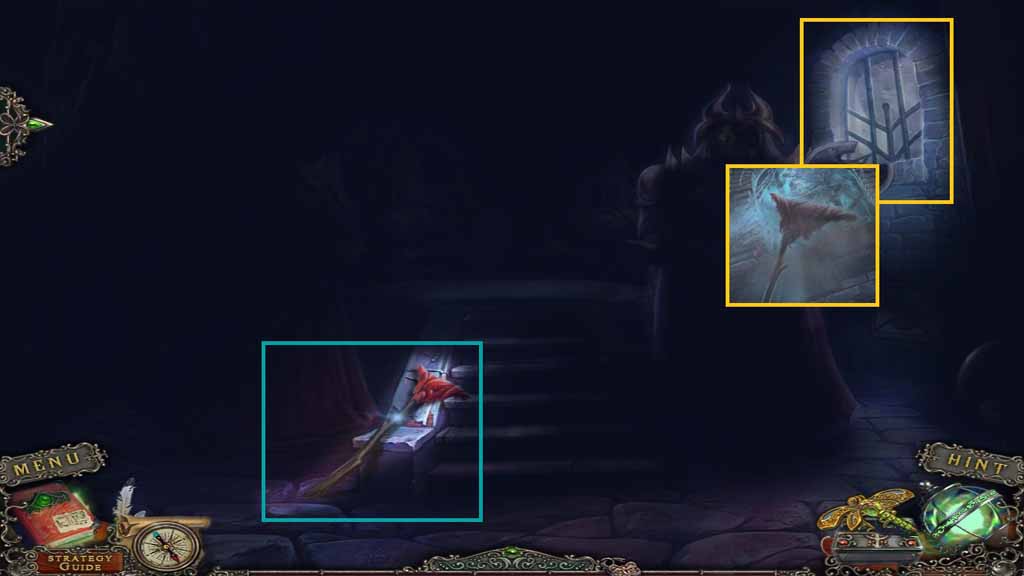
- Attach the rag to the stick and collect the mop.
- Select the mop to use on the window.
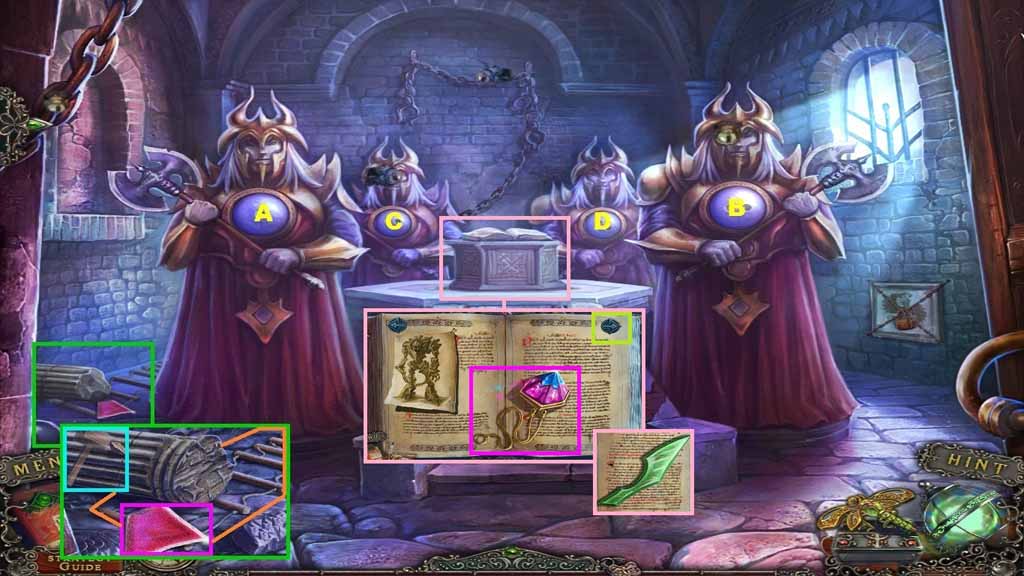
- Select the mallet to use on the peg and remove the pillar.
- Collect the 2nd stained glass piece and the rope ladder.
- Click the buttons in ABC order.
- Collect the temple stone.
- Click the right arrow 2 times and collect the 3rd stained glass piece.
- Move back once.
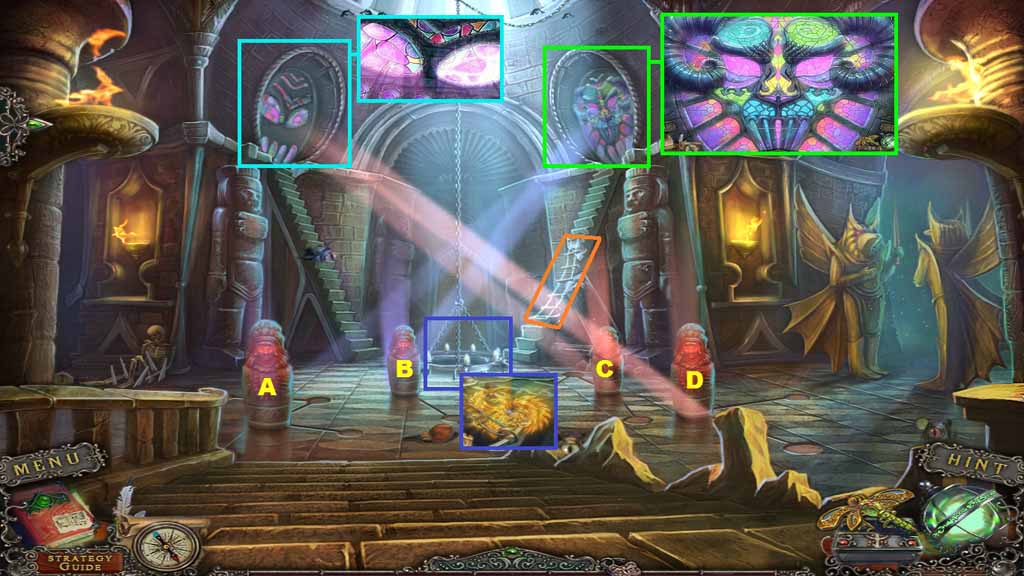
- Zoom into the stained glass window on the left.
- Insert the 3 stained glass pieces into the slots.
- Place the rope ladder onto the gap.
- Zoom into the stained glass to trigger a puzzle.
- Solve the puzzle by completing the image.
- Collect the Phoenix emblem.
- Move to the right.
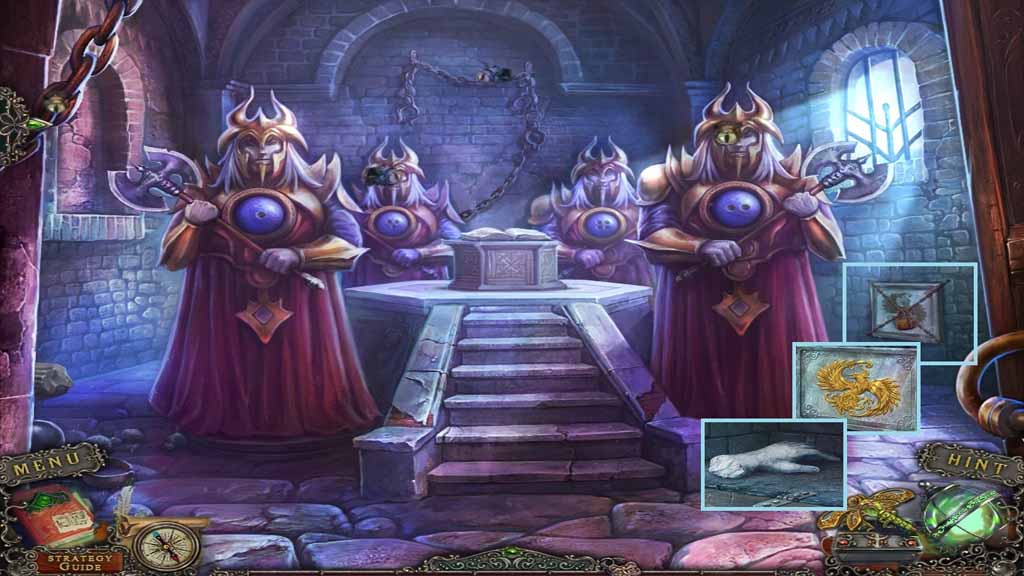
- Select Tim’s gun to use on the lock.
- Place the Phoenix emblem onto the slab and click it; collect the hand.
- Move back once.
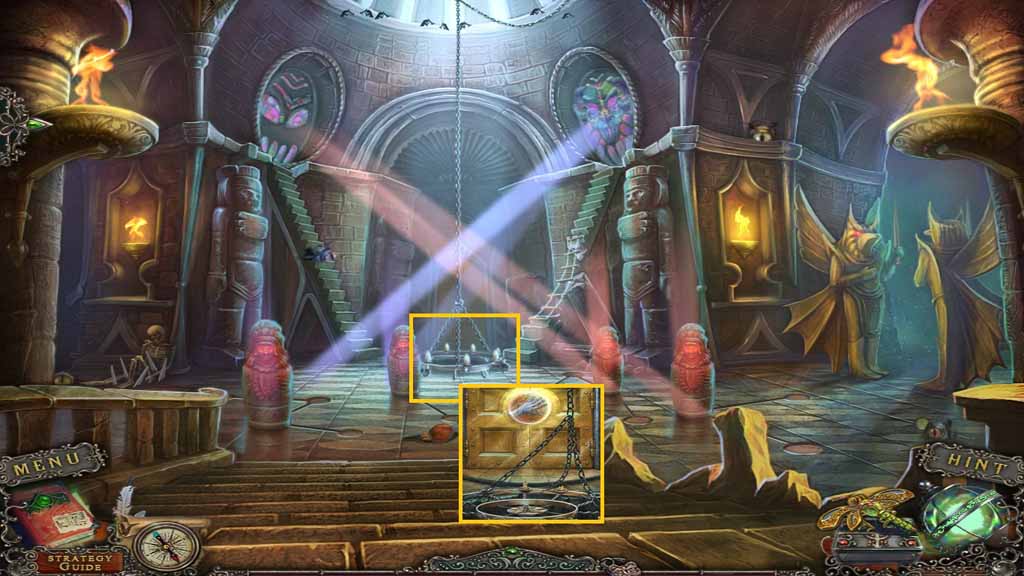
- Place the hand into the impression and click it.
-
Move ahead.