

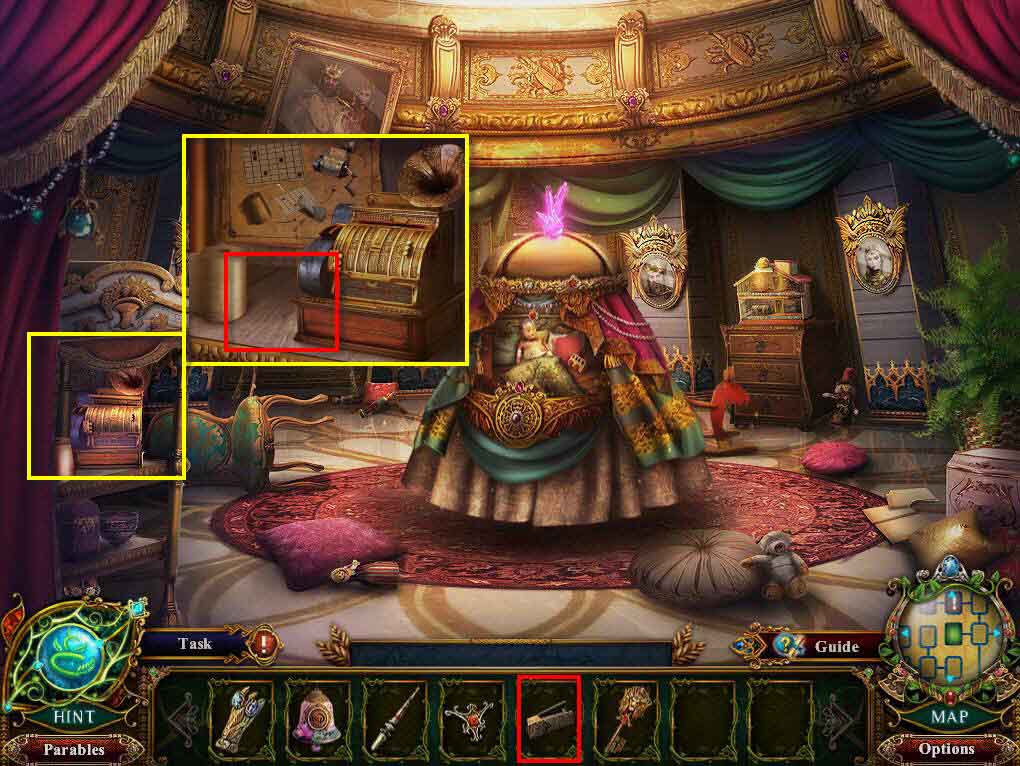
- Go back two screens.
- Go forward and then go to the left.
- Click to zoom in on the area on the left.
- Use the Hole Punch.
- Go back one screen and then move forward.
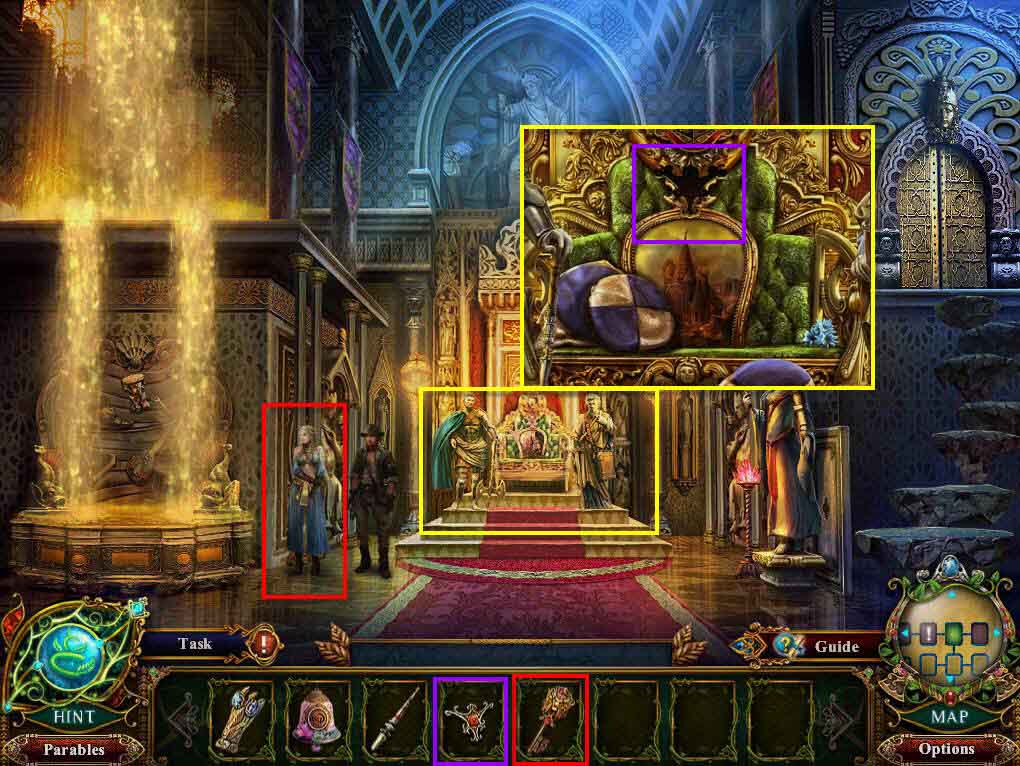
- Use the Vault Key on Emma.
- Click to zoom in on the throne.
- Use the Throne Fragment on the empty slot.
- Click on the sparkles to play the HOG.
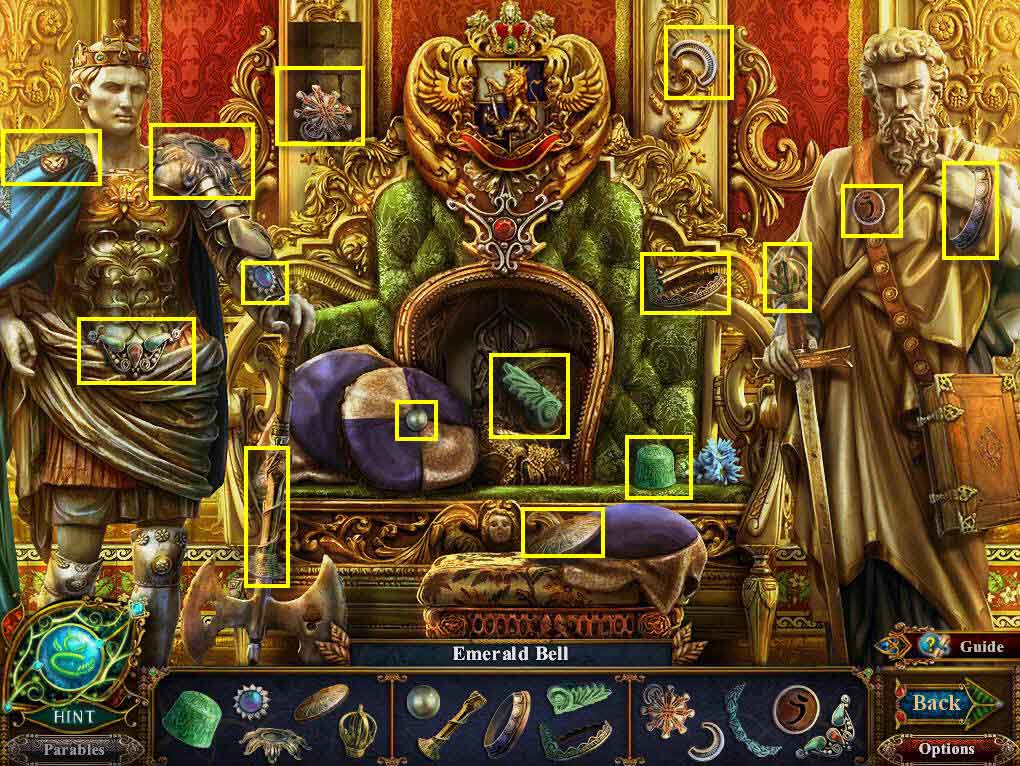
- Find all the items on the list.
- You will receive the Emerald Bell.
- Go back one screen and then head to the left.
- Click on the sparkles to play the HOG.
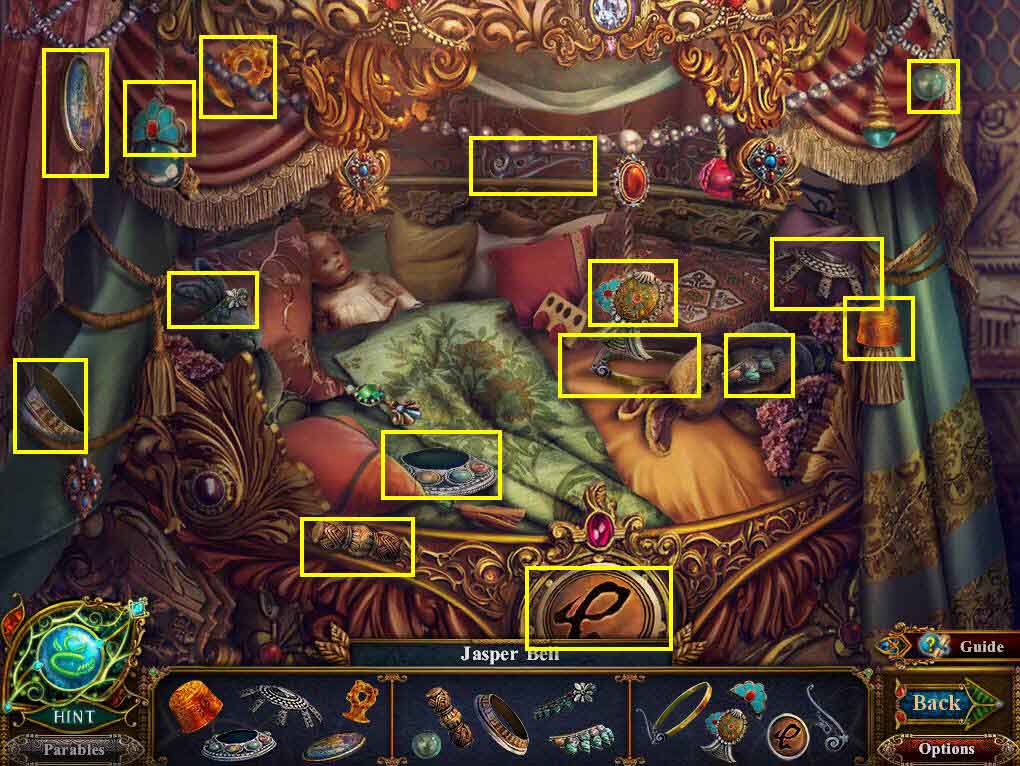
- Find all the items on the list.
- You will receive the Jasper Bell.
- Go back one screen and then go to the right.
- Click on the sparkles to play the HOG.
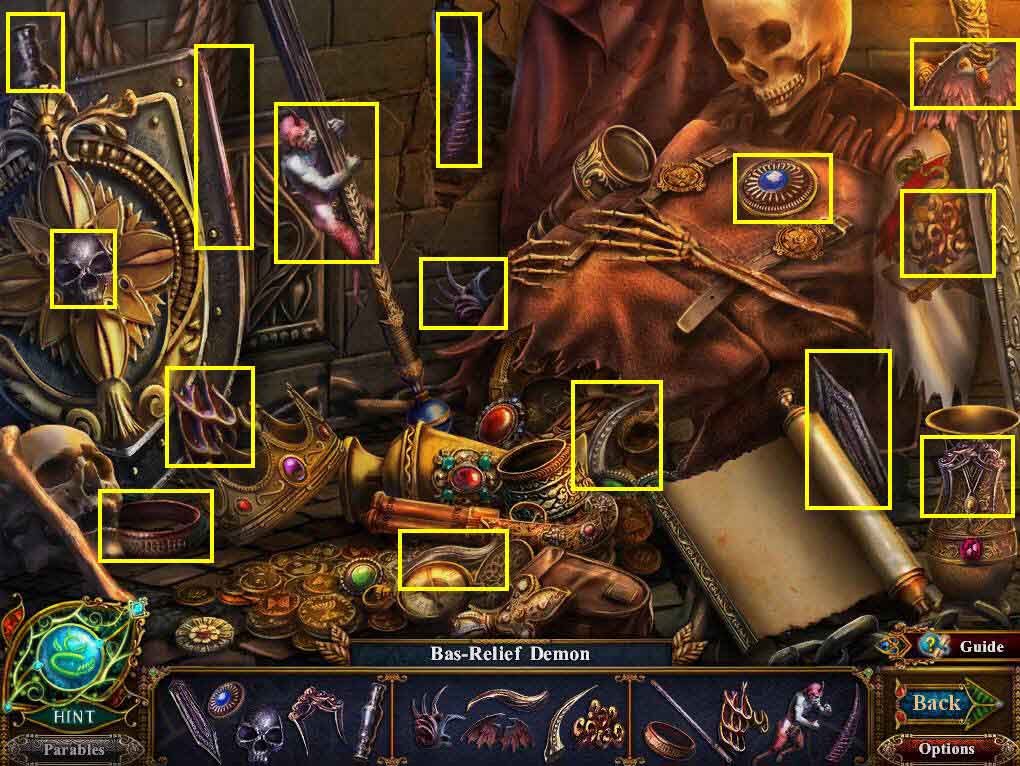
- Find all the items on the list.
- You will receive the Bas-Relief Demon.
- Go back one screen, go forward, then head to the left.
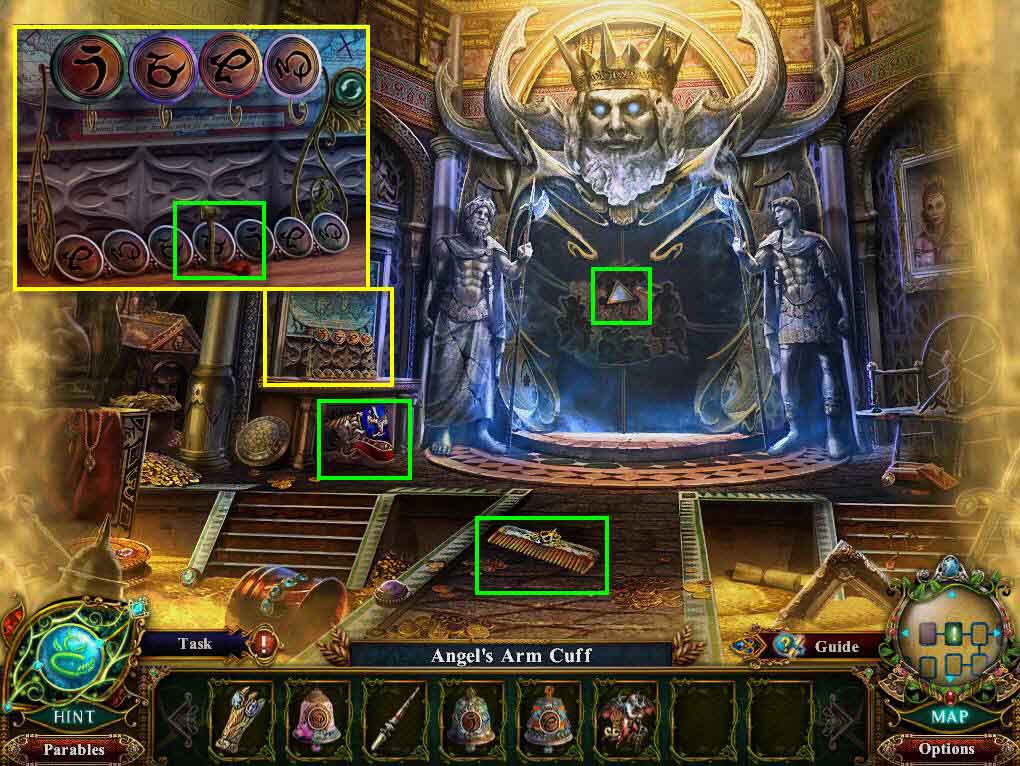
- Take the Comb.
- Click to zoom in on the map on the left.
- Take the Music Box Handle.
- Click to zoom in on the bas-relief.
- Take the Triangle Mirror.
- Go back two screens and then go to the left.
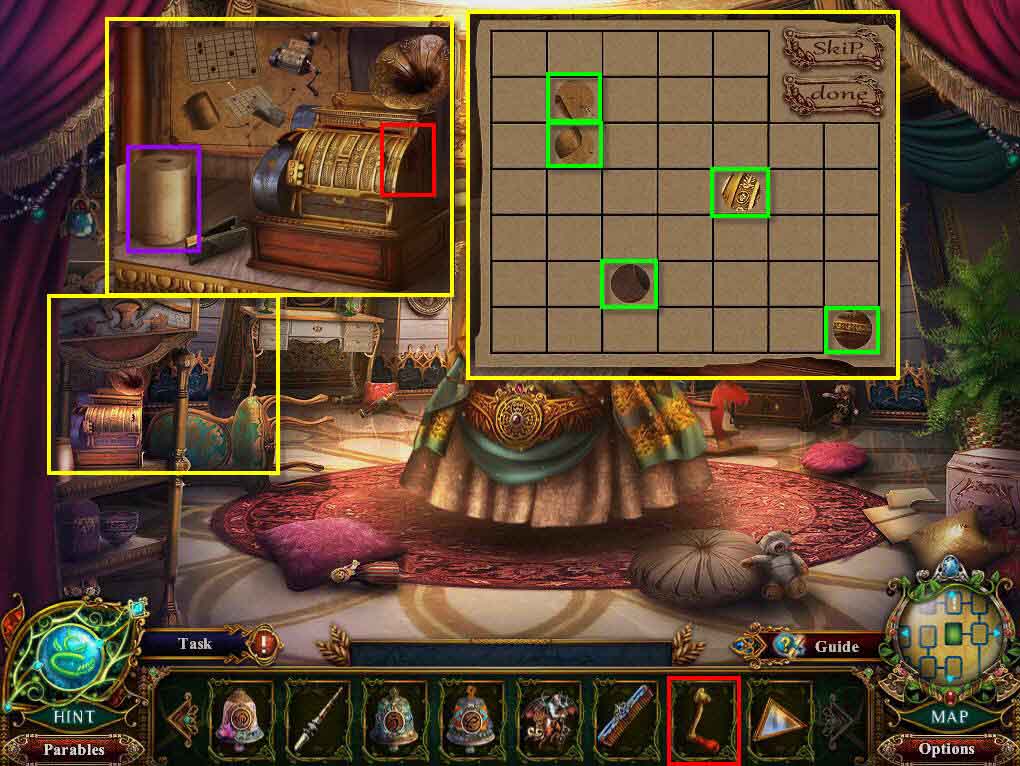
- Click to zoom in on the left.
- Use the Music Box Handle on the box.
- Click on a piece of paper.
- Click on the hole punch and punch 5 holes. See the back diagram for a hint. See the screenshot for the solution.
- Click on the done button.
- Take the Angel's Necklace.
- Take the Bas-Relief Workers.
- Go back one screen then go forward.
- Go to the right.
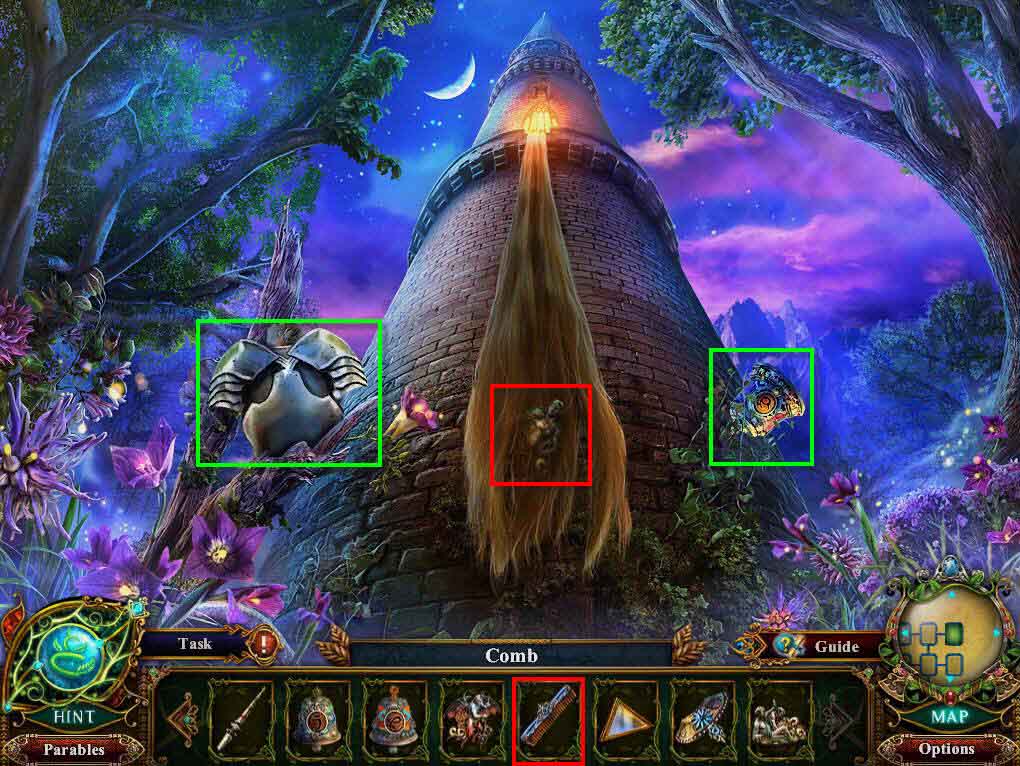
- Take the Toy Armor.
- Take the Amethyst Bell.
- Use the Comb on the hair.
- You will receive the Bas-Relief Warrior.
- Go back one screen and then go to the left.
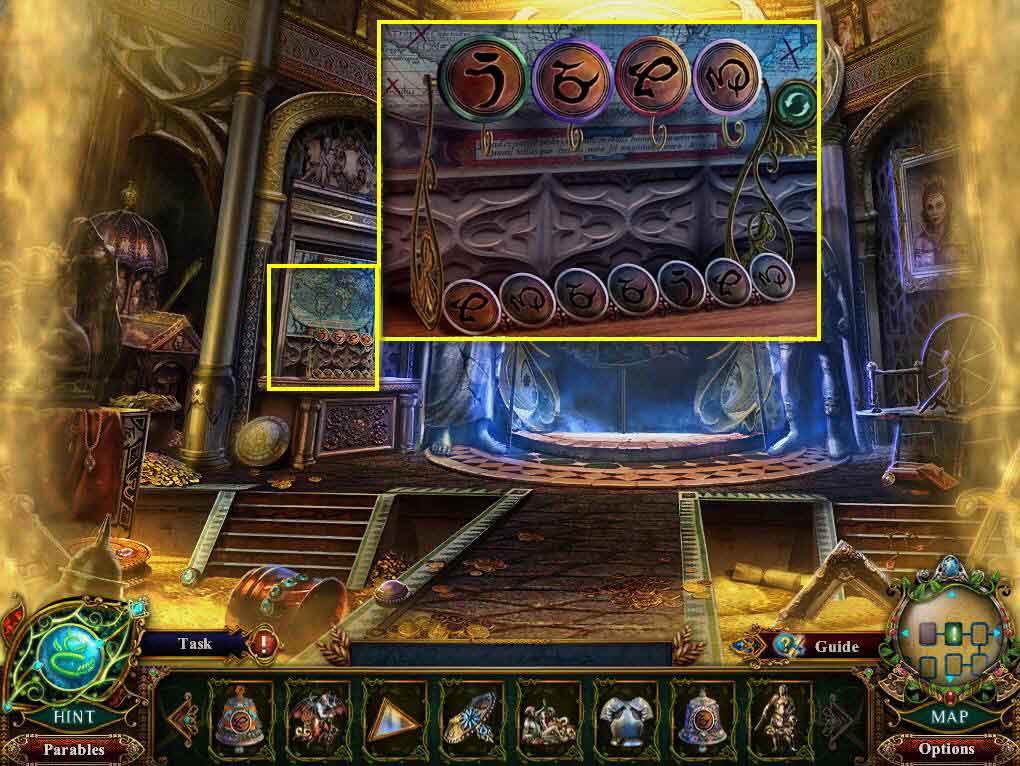
- Click to zoom in on the area with the map.
- Use the Emerald Bell, the Coral Bell, the Jasper Bell, and the Amethyst Bell on the hooks.
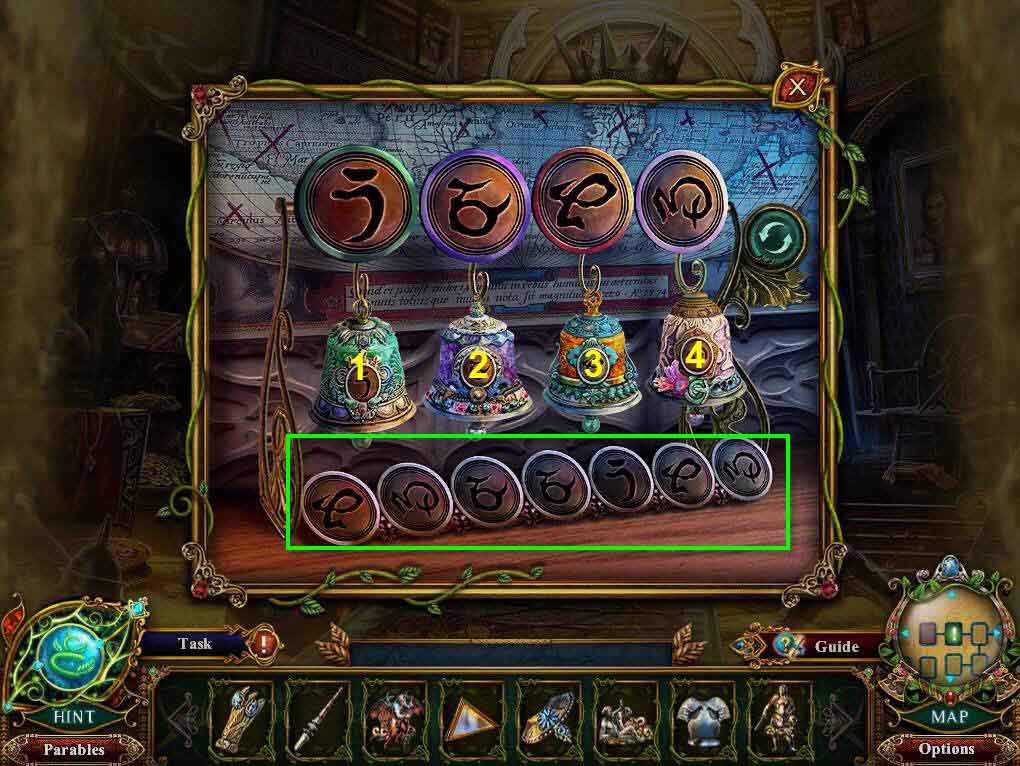
- Click on the bells to ring them. Pay attention to the symbols on them and the symbols under them.
- Ring the bells in this order - 3, 4, 2, 2, 1, 3, 4.
- Take the Square Mirror.
- Take the Bas-Relief Maidens.
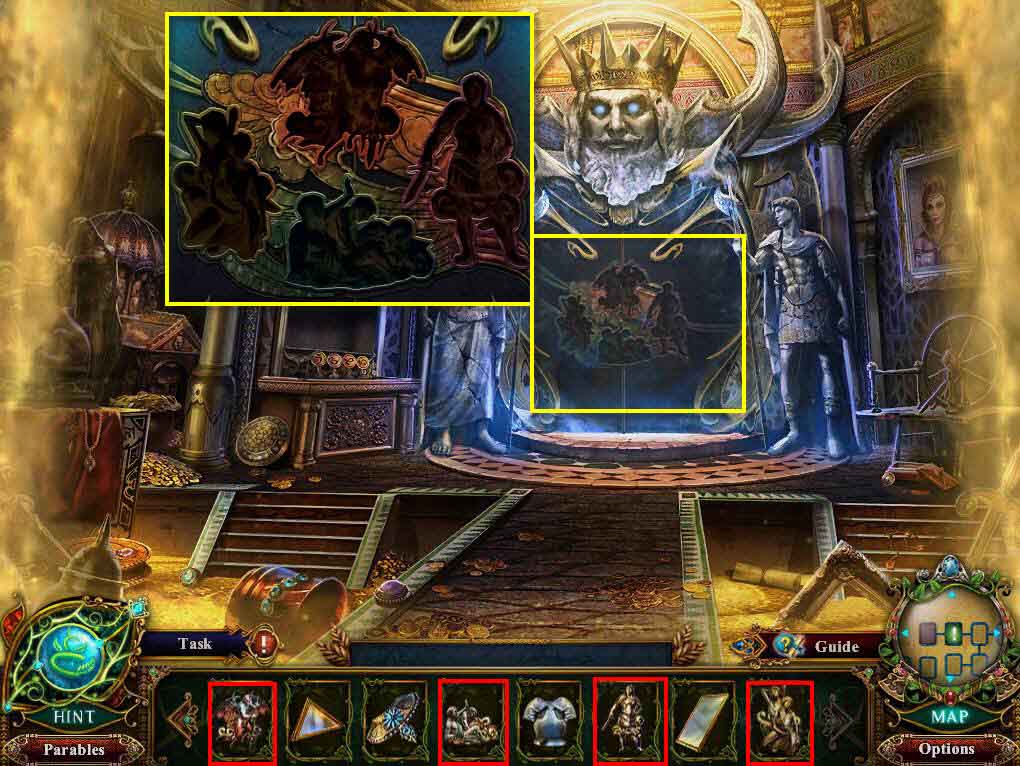
- Click to zoom in on the bas-relief.
- Use the Bas-Relief Maidens, the Bas-Relief Warrior, the Bas-Relief Workers, and the Bas-Relief Demon on the wall.
- Click on the sparkles to play the mini-game.
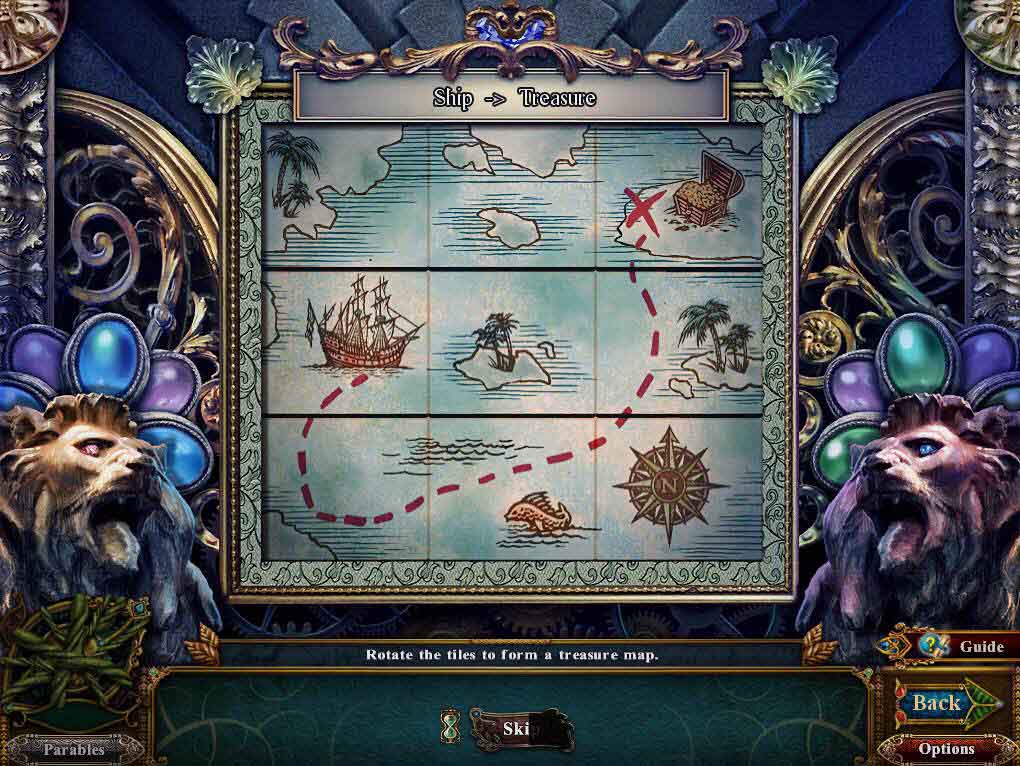
- Click on the tiles to move them to the right image.
- See the screenshot above for the solution.
- Move forward one screen.